
Welcome to the ultimate guide to the best Android apps of the year. As we step into January 2026, the mobile landscape has shifted significantly. We aren’t just looking at the usual suspects; we’ve curated a list of 20 powerhouse applications that redefine productivity, privacy, and personalization.
Whether you are looking to de-clutter your digital life or unlock hidden features on your latest smartphone, this list has something for every type of user. From third-party app stores to AI-integrated sidebars, these are the tools currently dominating the Android ecosystem.
1. Orion Store: The Ultimate Third-Party Hub
If you are tired of the limitations of mainstream app stores, Orion Store is a “banger” to start your year. It is one of the newest and most robust third-party stores available, specializing in modded applications that enhance user experience.
- Instafll: A modified Instagram version that removes intrusive ads and unlocks hidden developer settings.
- TikTok Revanced: This mod removes ads, hides the TikTok Shop, and—most importantly—allows you to download videos without watermarks.
- Social Suite: Find mods for X, Facebook, Messenger, Telegram, and Reddit all in one place.
2. Essentials: The All-in-One Android Toolkit
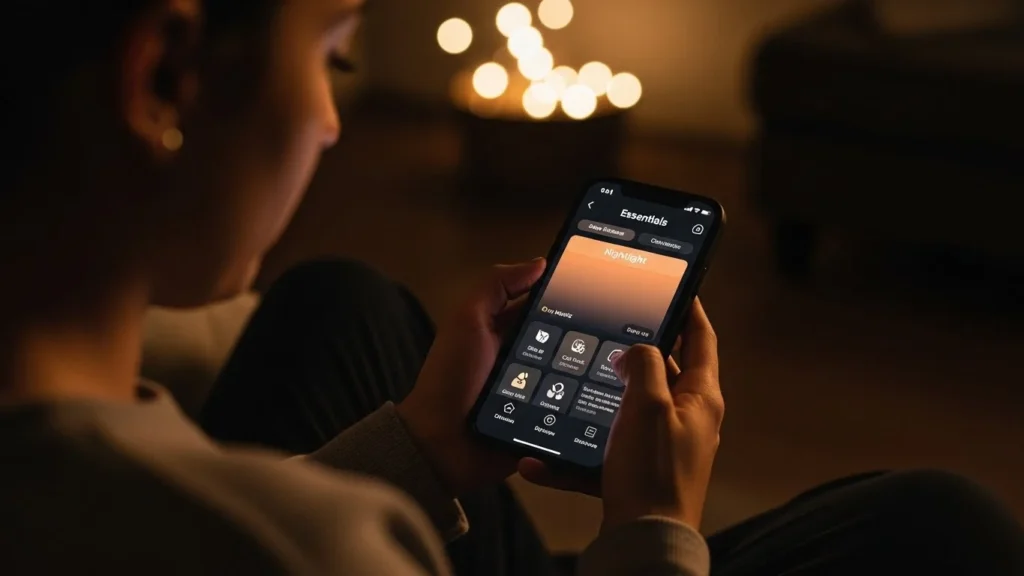
Essentials is a free, open-source app that acts as a Swiss Army knife for your phone. It allows users to access features typically reserved for flagship devices like the Pixel 10.
Key Tweaks in Essentials:
- Google Maps Power Saving: Enables a black-and-white navigation preview on your lock screen, significantly extending battery life during long drives.
- Button Remapping: Customize your hardware buttons. For example, you can set a long-press of the volume-up button to trigger your flashlight or skip music tracks.
- App-Specific Nightlight: Automatically turn off the blue-light filter (Nightlight) for specific apps and have it re-enable once you exit.
- READ MORE Power Smart App: The Ultimate 2025 Guide to Stop Over-Billing and Track Your Electricity Use in Pakistan
3. ARC: The AI-Powered Floating Sidebar
Many premium phones from Oppo or OnePlus feature a sidebar, but ARC brings this functionality to every Android device with an added layer of Artificial Intelligence.
- Smart Reply: Generates contextually accurate responses for messages in any app.
- Fact Check: Instantly verify the legitimacy of social media posts on X or Reddit via the sidebar.
- Shopping Assistant: Includes a “Find Cheaper Alternative” action and a health-focused “Healthier Alternative” scan for grocery shopping.
4. GitHub Store: Professional Apps Simplified
Finding installable APKs on GitHub used to be a chore. GitHub Store transforms the platform into a clean, Play Store-style experience. It filters repositories to show only projects with installable apps and categorizes them by “Trending” or “Newly Released.” It even supports desktop app discovery for Windows, macOS, and Linux.
5. Fork of Shizuku: System-Level Control
For the tech-savvy, Shizuku is a staple. This new fork, however, fixes the most annoying bugs of the original.
- Auto-Connect: After a restart, the app automatically pairs via wireless debugging once connected to Wi-Fi.
- Stability: It includes a self-healing feature that restarts the service if it crashes.
- Android 16 Support: It specifically addresses bugs found in the latest Android 16 beta updates and MediaTek processors.
6. Doodles: Lock Screen Connectivity
Doodles is a creative communication app for friends and partners. Instead of standard text, you can send sketches or handwritten notes that appear directly on the recipient’s lock screen. It’s a minimalist, fun way to stay connected without the noise of traditional messaging.
7. Glance Weather Widget: Data at a Glance
While most weather apps are cluttered, Glance uses a color-coded timeline.
- Left Side: Current conditions.
- Right Side: A stretching timeline showing temperature curves, sky conditions, and wind direction.
8. FlowStack: Beat Procrastination
FlowStack is a task manager built on the principle of “time-boxing.” Every task gets a specific timer. You can add “emergency” five-minute increments or use “Flow Mode” to count up, helping you track exactly how long deep-work sessions last.
9. Momentum: Effortless Time-Lapses
Perfect for documenting long-term projects like a growing plant or a home renovation. Momentum prompts you to take one photo a day and automatically stitches them into a smooth, high-frame-rate video. All processing is local, ensuring your photos never hit the cloud.
10. Calm Sounds: The Subscription-Free Sleeper
Tired of “white noise” apps charging monthly fees? Calm Sounds is completely free and open-source. It offers a library of rain, thunder, and forest sounds that you can mix and match to create the perfect soundscape for focus or sleep.
11. Dragon Store: Secure External Repos
Similar to Orion, Dragon Store is an alternative marketplace. Its unique selling point is transparency; it points you directly to an app’s official website or GitHub for the download, ensuring you get the original file without intermediary servers.
12. Traffic Light: Material You Data Tracking
Traffic Light uses Google’s “Material You Express” design to provide a beautiful breakdown of your internet usage.
- Live Monitoring: View real-time network speeds.
- App Breakdown: Identify exactly which apps are draining your mobile data versus Wi-Fi.
13. Clipboard Remote: Cross-Device Copy/Paste
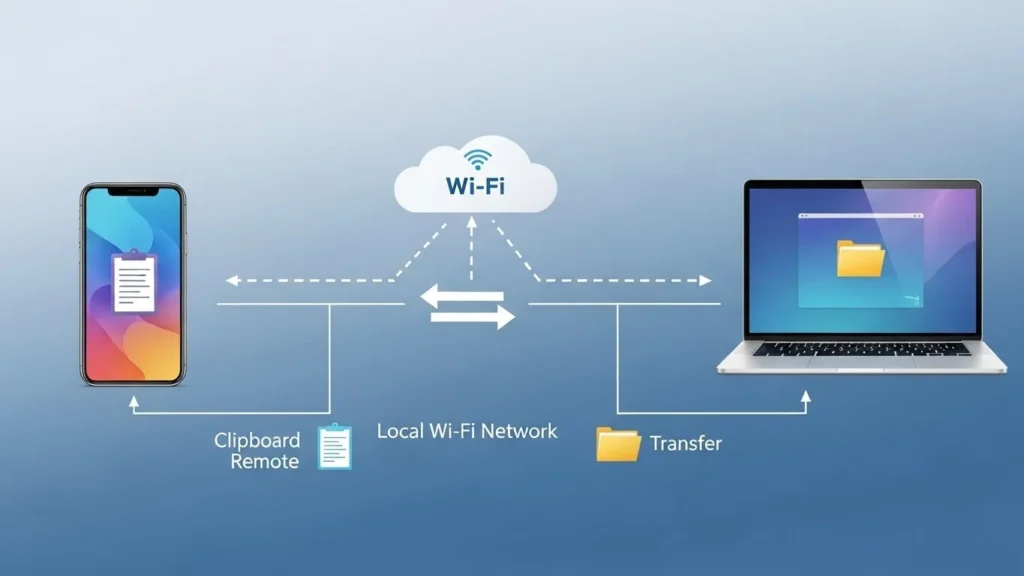
Clipboard Remote simplifies moving links or images between your Android phone and your PC/Mac. It works over local Wi-Fi, meaning no data is sent to external servers. Just copy on your phone and paste on your computer instantly.
14. MPV Extended: The Cleanest Video Player
If you find MX Player too bloated with ads, MPV Extended is the 2026 replacement. Built on the powerful MPV engine, it supports every video format, gesture controls, and external subtitles—all within a modern, ad-free interface.
15. Phi Minimal Launcher: A Fresh Home Screen
Launched in late 2025, Phi Minimal Launcher is gaining traction. It features a clean favorite-apps dock and a “left-page” filled with quick notes, habit trackers, and a to-do list. Its “Focus Mode” darkens the screen and hides distracting apps to keep you productive.
16. DNSNet: Modern Ad Blocking
Based on the legendary DNS66, DNSNet uses host files (like AdAway) to block ads and malware at the system level. It sets up a local VPN to filter traffic, effectively removing ads from both websites and mobile apps without requiring root access.
17. Transfer: The Quick Share Alternative
When Google’s Quick Share fails, Transfer steps in. It creates a temporary mini file server on your phone. You simply type the IP address into any browser on your laptop to drag and drop files back and forth with high speed.
18. Echo Equalizer: System-Wide Audio Boost
Many Android phones lack a professional equalizer. Echo Equalizer works across the entire system—Spotify, YouTube, and TikTok included. It offers bass boost and custom presets without ads or sketchy permissions.
19. PutMask: Automatic Video Blurring
Privacy is paramount in 2026. PutMask uses AI to detect and track faces or license plates in videos, allowing you to blur them out automatically. Even if the object moves, the tracker follows it perfectly.
20. Super Alarm: For the Heavy Sleepers
Super Alarm is designed for those who habitually hit “snooze.” To turn off the alarm, you must complete challenges:
- Solve complex math problems.
- Scan a specific household item (like a chair or coffee maker).
- Shake the phone a set number of times.
Summary of Top Features
| App Category | Top Pick | Key Benefit |
| App Store | Orion Store | Access to modded, ad-free social apps. |
| Utility | Essentials | Enables flagship features on any device. |
| Productivity | FlowStack | Timer-based task management. |
| Privacy | DNSNet | System-wide ad and malware blocking. |
| Creativity | Momentum | Automated daily time-lapses. |
Frequently Asked Questions (FAQs)
Are third-party app stores like Orion and Dragon safe?
While Orion and Dragon Store point to official or reputable sources, always exercise caution. These stores are preferred by enthusiasts because they provide access to apps (like mods) not allowed on the Play Store, but you should always check app permissions.
Do I need to “root” my phone for Shizuku or Essentials?
No. One of the best things about the 2026 app ecosystem is the use of ADB (Android Debug Bridge) permissions. Apps like Shizuku allow system-level tweaks without the security risks of a full root.
Is DNSNet better than a standard VPN?
DNSNet is a “DNS-level” ad blocker. It uses a VPN interface locally on your device to filter traffic, but it doesn’t necessarily hide your IP address like a privacy VPN would. It is primarily for blocking ads and trackers.
Can I use Clipboard Remote with an iPhone?
Yes. Clipboard Remote is cross-platform and works between Android, iOS, Windows, and macOS, provided all devices are on the same Wi-Fi network.
Why does PutMask have a watermark?
The free version of PutMask includes a small watermark and lower resolution. To export in 4K or remove the branding, a subscription is required, which supports the developer’s AI tracking research.
Conclusion
The start of 2026 brings a wave of Android applications that focus on giving control back to the user. From the AI-driven utilities of ARC to the total system customization of Essentials, these apps prove that the Android platform remains the king of flexibility.
If you found even one app on this list useful, you are already ahead of the curve for the new year. Keep exploring, stay productive, and make the most of your mobile hardware.