
For Pakistani freelancers, e-commerce store owners, and digital professionals, one question looms larger than any other: How to create a PayPal account in Pakistan?
It’s a question born from frustration. You land a great international client, agree on a project, and then comes the dreaded question: “Can I just pay you via PayPal?” For clients in the US, Europe, or Australia, PayPal is as common as cash. For us in Pakistan, it’s a locked door.
This isn’t just a minor inconvenience. It’s a massive barrier. We miss out on high-paying clients who prefer the convenience and security PayPal offers. We lose a significant share of the global market simply because this one crucial tool is officially unavailable to us.
But what if there was a way?
There is. It’s not an “official” way, and it’s not without its risks. But for thousands of Pakistani freelancers, it’s the working solution that allows them to receive international payments. This isn’t a simple 5-minute trick. Creating the account is the easy part; the real challenge is preventing it from getting suspended.
READ MORE BISP 8171 Digital Wallet 2025 – Complete Mega Guide
This guide will show you how to create a PayPal account in Pakistan, step-by-step. More importantly, it will teach you how to protect it, secure it, and avoid the dreaded “Your account has been limited” email.
Why is PayPal Not in Pakistan?
This is the million-rupee question. For years, there has been speculation, government meetings, and endless rumors. The short answer is a complex mix of regulatory hurdles, stringent anti-money laundering (AML) policies, and a lack of a firm agreement between PayPal and Pakistani financial regulators.
While services like Payoneer have filled some of the gap (and are an excellent choice!), PayPal remains the universal language of online payments. Its absence is a significant handicap for Pakistan’s booming IT and freelance economy.
This guide is for those who cannot wait any longer.
The Workaround: Understanding the “Foreign Account” Method
First, let’s be crystal clear: you cannot create a “PayPal Pakistan” account. It does not exist.
The method we will use involves creating a legitimate PayPal account in another country where PayPal is officially available—such as Singapore, the UAE, or the UK—and securely managing it from Pakistan.
“But wait,” you ask, “won’t PayPal know I’m in Pakistan and ban me?”
Yes, they will. This is the #1 reason why most attempts fail. If you create a PayPal account in Singapore and then log in from a Pakistani IP address using your regular Chrome browser, PayPal’s security system will instantly flag your account. It sees a “Singaporean” account suddenly logging in from Lahore. This mismatch is a classic sign of a hacked account, and PayPal will suspend it immediately to protect the “owner.”
This is where our primary tool comes in.
The Core Solution: Using an Anti-Detect Browser
Your regular browser (Chrome, Safari, Firefox) shares a ton of information about you. This is called a “digital fingerprint.” It includes your:
- IP Address (Location)
- Time Zone
- Browser Language
- Operating System
- Installed Fonts
- Screen Resolution
- …and dozens of other data points.
A simple VPN only changes your IP address. PayPal is smarter than that. If your IP is in Singapore but your time zone is “Asia/Karachi” and your browser language is “en-PK,” you’re getting banned.
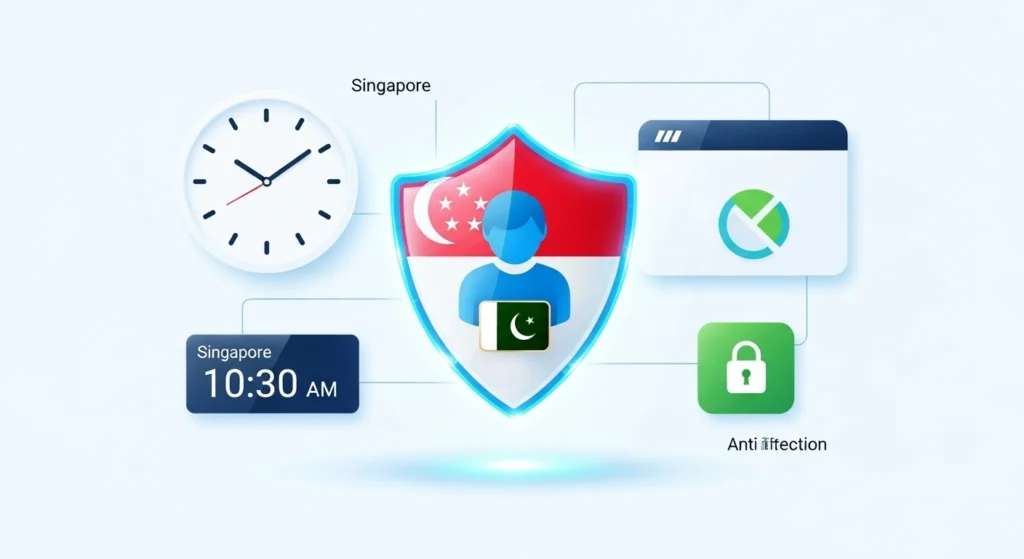
An anti-detect browser is a special tool that lets you create and manage completely separate, unique browser profiles. Each profile has its own digital fingerprint.
For this guide, we’ll reference a popular tool called GoLogin, which is designed for this exact purpose. You can create a profile that makes you appear exactly like a local user in Singapore. When you use this profile, your IP, time zone, language, and all other data points match.
To PayPal, your login from Pakistan looks 100% like a legitimate login from a user in Singapore. This is the key to avoiding immediate suspension.
Step-by-Step: How to Create a PayPal Account in Pakistan
Follow these steps precisely. Do not skip any.
Step 1: Set Up Your Secure Browser Environment
First, we need to build our “clean room” to operate from.
- Get an Anti-Detect Browser: Go to a service like GoLogin.com and sign up. They offer a free trial, which is perfect for getting started.
- Download and Install: Download the software for your Windows or Mac machine.
- Create a New Profile: This is the most important part. In the GoLogin dashboard, click “Add Profile.” We need to configure it.
- Name Your Profile: Call it something clear, like “PayPal Singapore.”
- Set the Geolocation: Choose the country for your PayPal account. The script this guide is based on recommends Singapore as it’s often an easier process. You could also try the UAE or UK. Select “Singapore” from the country list. The browser will automatically populate the correct IP address (via a proxy), time zone, language, and other settings.
- Run the Profile: Click “Create Profile” and then “Run.” A new, completely separate browser window will open. This window is your secure portal. From this point on, you must only access your PayPal account from this specific profile.
Step 2: Sign Up for Your PayPal Account
Inside the new, secure browser window you just launched:
- Go to PayPal: Type paypal.com in the address bar. Because your profile’s fingerprint is set to Singapore, it should automatically redirect you to paypal.com/sg (the Singaporean version).
- Start Sign-up: Click the “Sign Up” button.
- Choose Account Type: PayPal will offer two choices: Personal or Business.
- Recommendation: Start with a Personal Account. As the original script notes, a Business account has far more requirements and verification hurdles. You can always upgrade later if needed. A Personal account is perfect for receiving payments from clients.
- Select Country: It should default to “Singapore.” If not, select it from the list and click “Get Started.”
- Enter Your Email: Use a real, professional email address that you have full access to (e.g., yourname@gmail.com).
Step 3: Verify Your Phone Number (The Hardest Part)
This is the biggest hurdle. PayPal requires a phone number from the country you’re registering in (e.g., a Singaporean number) to send a one-time password (OTP).
- You will get stuck here. You cannot use your Pakistani mobile number.
Your Options:
- Friends or Family (Best Option): If you have a relative or trusted friend living in that country, this is the safest route. Ask them if you can use their number for a one-time verification code.
- Virtual Number Services (Risky but Necessary): If you don’t know anyone, you’ll need to use a paid “virtual number” service that provides temporary numbers for receiving SMS. You can find these on Google. This is a one-time setup step.
Enter the foreign number, receive the OTP, and enter it on the PayPal site to proceed.
Step 4: Fill In Your Personal Information (CRITICAL)
This is where most people make a fatal mistake. They enter fake information. Do not do this.
Your account will be flagged for a security check or KYC (Know Your Customer) verification eventually. If you provide fake details, your account will be permanently suspended, and your money will be lost.
- Nationality: When it asks for your nationality, choose PAKISTAN. This is crucial. You are telling PayPal, “I am a Pakistani national who resides in Singapore.” This is a perfectly valid scenario.
- Name: Use your real, legal name as it appears on your CNIC or Passport.
- Date of Birth: Use your real date of birth.
- ID Document: When it asks for an ID, select National ID Card (CNIC) or Passport and enter your real, correct number.
Why? Because when PayPal limits your account (and it may happen), they will ask for a photo of your Passport or CNIC. If the details you provided match your document, you have a high chance of recovering your account. If they don’t, your account is gone forever.
Step 5: Add Your Address
You will need to add an address in the country you’re registering in (e.g., Singapore). You can manually add this. If you used a relative’s phone number, ask to use their address as well.
Step 6: Finalize and Verify Email
- Create Username: PayPal will ask you to create a unique username, which becomes your public PayPal.me link. This is what you’ll share with clients.
- Confirm Your Email: Log in to your email (the one you used in Step 2) and find the verification email from PayPal. Click the link to confirm your email address.
Congratulations, your PayPal account is now created! But don’t celebrate yet. The real work of securing it begins now.
Post-Setup: How to Secure Your Account and Get Paid
Your account is empty and vulnerable. We need to fix that.
1. Link a Card or Bank Account (How to Withdraw)
Your account is useless if you can’t get money out of it. You need to link a card or bank.
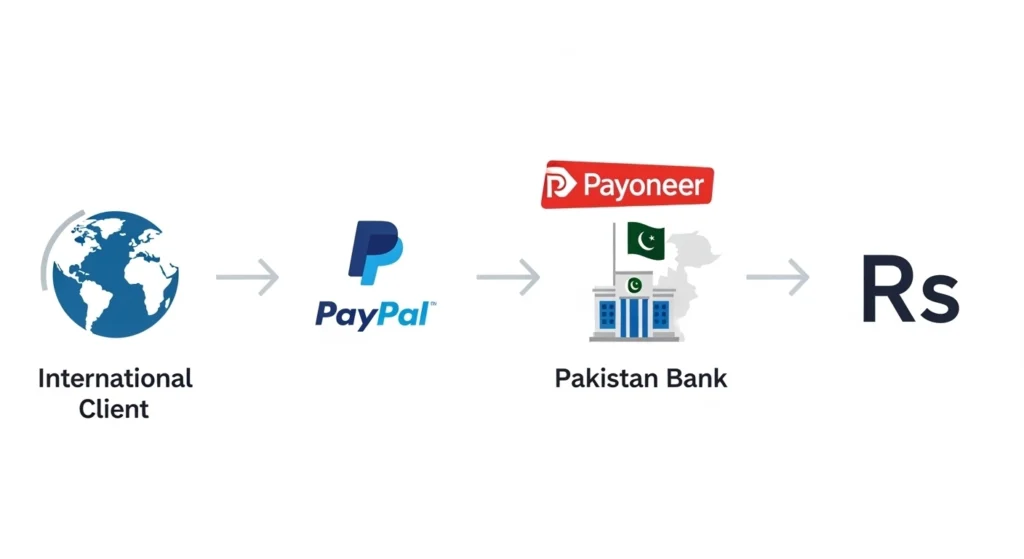
- The Best Option: Payoneer. If you are a freelancer in Pakistan, you should already have a Payoneer account. Payoneer gives you virtual bank accounts in USD, EUR, and GBP. You can link this Payoneer bank account (or the Payoneer-issued debit card) to your PayPal account.
- Other Options: Some users report success linking virtual cards from Pakistani apps like JazzCash or R.Pay.
This allows you to withdraw your PayPal balance to your Payoneer card, and from there, withdraw it to your local Pakistani bank account (HBL, Meezan, etc.).
2. MUST-DO: Enable Two-Factor Authentication (2FA)
This is the most important security step. It removes your dependency on that temporary virtual number you used.
- Log in to your PayPal account (using your secure GoLogin profile, of course).
- Go to Settings > Security > 2-Step Verification.
- Click “Set Up.”
- CRITICAL: Do NOT choose “Text me a code.” You don’t own that virtual number.
- Choose “Use an authenticator app.”
- Download Google Authenticator or Authy on your smartphone.
- Scan the QR code on the PayPal screen with your authenticator app.
- Enter the 6-digit code from your app into PayPal to confirm.
Why this is a lifesaver: Now, when you log in, PayPal will ask for a code from your authenticator app, not a text to the virtual number. Your account is now secured to your physical phone, not the temporary number.
The Golden Rules: How to Avoid PayPal Account Suspension
Creating the account is 10% of the battle. Keeping it active is the other 90%. Follow these rules religiously.
1. The #1 Rule: Consistency is Everything Always, always, ALWAYS log in to your PayPal account using the same anti-detect browser profile (e.g., your “PayPal Singapore” profile in GoLogin). Never log in from your regular Chrome. Never log in from your phone’s browser. Never use a different VPN. This consistent, “local” login behavior is what builds trust with PayPal’s system.
2. Never Use Public or Unsafe Wi-Fi Logging into your PayPal from an airport, hotel, or café Wi-Fi is a massive red flag. These are unsecured networks and common sources of account hacking. PayPal knows this. Stick to your trusted home or office internet connection.
3. Your Information MUST Be Real We covered this, but it’s worth repeating. Use your real name, real CNIC, and real nationality (Pakistani). Fake info is a ticking time bomb.
4. Build a Good Seller Reputation Don’t just receive money. A healthy account has a mix of activities. But more importantly, avoid looking “scammy.” Don’t engage in dozens of tiny transactions, and avoid frequent disputes or refund requests. This flags you as a “poor reputation” seller, and PayPal’s system will scrutinize your account.
5. Beware of Phishing Now that you have a PayPal account, you are a target. You will get fake emails that look exactly like they’re from PayPal, saying “Your account is limited” or “Unusual Activity Detected.” These emails are designed to steal your password. Never click links in an email. Always log in to your account directly (using your secure browser) to check for notifications.
6. Managing Multiple Accounts (For Agencies/VAs) If you manage PayPal accounts for multiple clients, DO NOT use one browser. You must use an anti-detect browser like GoLogin to create a separate, unique profile for each client account. Each account must have its own, isolated digital fingerprint. Logging into two different PayPal accounts from the same browser is the fastest way to get them both suspended.
7. Don’t Mix Devices As the script’s expert warned, don’t use multiple physical devices. Don’t buy a new phone just for your client’s PayPal. The problem isn’t the phone; it’s the Wi-Fi, the IP address, and the digital fingerprint. Consolidate. Use one machine and one secure browser profile for all your PayPal activity.
FAQs: Quick Answers to Big Questions
Q: Is this method 100% legal and safe? A: Let’s be honest: it’s a “grey area.” It’s not illegal, but it’s against PayPal’s terms of service to provide false information (like your location). However, by using your real nationality and ID, you are being as truthful as possible within this workaround. The risk is not legal trouble; the risk is that PayPal suspends your account and holds your funds. Following the steps in this guide minimizes that risk.
Q: Can I just use a VPN instead of GoLogin? A: You can try, but it will likely fail. A VPN only changes your IP address. PayPal checks your time zone, browser language, fonts, and dozens of other data points. An anti-detect browser spoofs this entire fingerprint, making it far more secure and trustworthy.
Q: How do I withdraw my PayPal money to my Pakistani bank? A: The most reliable path is: PayPal -> Payoneer -> Your Pakistani Bank Account (e.g., HBL, UBL, Meezan). You transfer your PayPal balance to your Payoneer USD/GBP account, and from Payoneer, you withdraw to your local bank.
Q: My account got suspended! What do I do? A: This is very difficult to recover from, but not impossible. If you followed this guide and used your real name and CNIC, you can submit your documents (Passport, CNIC, bank statement) when they ask for verification. Because your information is real, you have a chance of being reinstated. If you used fake info, the account is lost.
Conclusion: Is It Worth the Risk?
Creating a PayPal account in Pakistan is not for the faint of heart. It requires a technical setup, careful planning, and a-level discipline to maintain.
But for a Pakistani freelancer, the benefits are undeniable. It opens the door to clients who would otherwise be inaccessible. It allows you to compete on a truly global scale and get paid instantly.
The method is sound, but the responsibility is entirely yours. By using a secure environment, providing your real information, and enabling strong security like 2FA, you are building the most resilient setup possible.